SpeedCrunch 1.1 is available for Windows, macOS, and Linux. This release brings new ways to work with sessions and constants, along with fixes for everyday editing and window behavior.
Private tabs let you work without automatically saving their calculations. Their contents are discarded when closed, and they are not restored on the next launch. You can also choose to open a private tab at startup or keep a private session as a saved one.
For those who prefer a more compact interface, Classic appearance options are available for the input area and keypad. Menus, panels, and the status bar can each follow either the system appearance or the selected SpeedCrunch theme.
Constant insertion is now searchable. Press Ctrl+Space, type a name or unit, and insert a result using the keyboard or mouse. The new nth-root function also handles negative values and quantities with units.
Several editing behaviors are configurable. You can disable automatic input adjustments, accept autocomplete suggestions with Enter, clear input with Escape, or use a steady cursor. Input digit grouping has also been restored.
The release fixes undo and redo, copy and paste, floating-panel restoration, and crashes while typing in long expressions. Other improvements include better input sizing across fonts, correctly positioned live previews, and clearer themed menu icons.
A portable macOS ZIP package is also available, keeping settings and sessions in a folder beside the app.
Download SpeedCrunch 1.1 and read the full changelog
Thank you to everyone who contributed code, reported problems, tested changes, or helped shape this release.

Tuesday, October 20, 2026

Sunday, October 04, 2026
SpeedCrunch 1.0 released
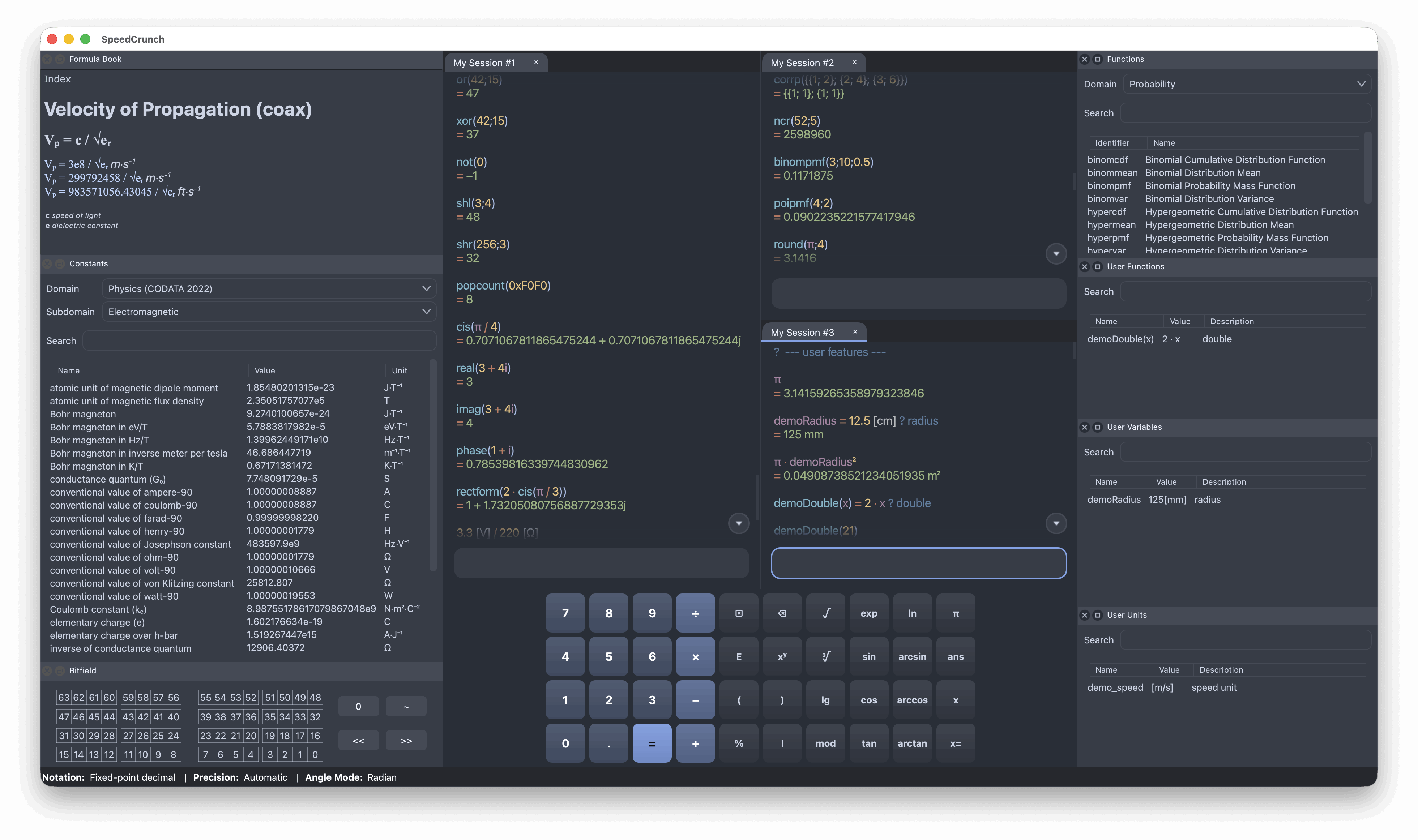
SpeedCrunch 1.0 is available now for Windows, with installer and portable ZIP packages, and for macOS, with an Apple Silicon-only DMG. We hope to have an official 1.0 package on Flathub soon for Linux users.
Before upgrading: back up any sessions you want to keep.
This version introduces a completely new session system and file format, so sessions from previous releases won't be loaded. In your current version, use Session > Save to keep a backup, and Session > Export > Plain text to save a readable copy of your calculations. You can then recreate your sessions in 1.0 by pasting the expressions into the editor. See the session export instructions for details.
The unit syntax has also changed. Units now go in square brackets,
for example 10[m], so expressions using the old
syntax will need adjusting.
You can find a summary of the main changes since version 0.12, released in 2016, on the download page.
A few highlights:
- Keep multiple sessions open across tabs, split panes and separate windows.
- Sessions are saved automatically and easy to back up.
- Edit an earlier calculation and recalculate all the expressions below it.
- Work with lists and matrices, with new statistics and linear algebra functions.
- Use a much improved unit system.
- View results as fractions or in several formats at once.
- Choose from more built-in themes or create your own.
- A new logo.
This release includes many fixes and features requested over the past 10 years, but it isn't perfect, and development doesn't end here. As more people start using it, the community will no doubt find bugs and suggest improvements. The plan is to release new minor versions (1.1, 1.2, etc.) every 4 to 12 weeks, depending on the app's stability and demand for new features.
For developers and package maintainers: the official Git repository is now hosted on GitHub. The Bitbucket repository is obsolete.
Unfortunately, the entire issue tracking history was lost because Bitbucket did not give a final warning before shutting down its Issues platform. If you previously reported a bug or requested a feature that still needs attention, please submit it again on the GitHub issue tracker or any of our communication channels. Translation corrections are welcome too, as is feedback on any other part of the app.
Thank you to everyone who has contributed over the years, whether through code, translations, bug reports or suggestions.
Subscribe to:
Posts (Atom)